AI Generated Videos – Complete Production Guide
Artificial Intelligence (AI) has revolutionized video production, enabling creators to produce high-quality, engaging content with unprecedented ease and efficiency. From generating videos entirely from scratch to transforming static images into dynamic visuals, AI tools have opened new creative possibilities for professionals, businesses, and hobbyists alike. This comprehensive guide explores the world of AI generated videos, offering step-by-step insights into creating stunning videos using AI technologies. Whether you’re looking to create video from images AI, leverage AI in video production, or explore video to AI transformations, this article covers everything you need to know.
1. Understanding AI generated videos
What are AI generated videos?
AI generated videos refer to videos created or enhanced using artificial intelligence algorithms. These tools can produce content from text prompts, convert static images into dynamic videos, or enhance existing footage with AI-driven effects. By leveraging machine learning and neural networks, AI can automate complex tasks like video editing, animation, and even scriptwriting, making video production accessible to creators with varying skill levels.
Why use AI for video production?
The rise of AI in video production stems from its ability to save time, reduce costs, and unlock creative potential. AI tools can generate professional-grade visuals without requiring extensive editing skills or expensive equipment. They also allow for rapid prototyping, enabling creators to experiment with ideas quickly. From marketing campaigns to social media content, AI generated videos offer versatility and scalability for businesses and individuals alike.
Applications of AI generated videos
AI-powered video creation is used across industries, including marketing, entertainment, education, and e-commerce. For instance, businesses can create video from images AI to showcase products dynamically, while filmmakers use AI to generate realistic visual effects. Educational platforms leverage AI to produce engaging tutorials, and influencers rely on these tools to craft eye-catching social media content.
2. Tools and platforms for AI video production
Popular AI video generation tools
Several AI platforms specialize in creating AI generated videos. Tools like Runway, Synthesia, and Pictory allow users to generate videos from text prompts or convert existing content into polished videos. These platforms use advanced algorithms to produce lifelike visuals, add voiceovers, and even animate still images. Each tool offers unique features, such as customizable templates or real-time editing capabilities, catering to different creative needs.
Tools for creating videos from images
For those looking to create video from images AI, platforms like D-ID and Kaiber excel at transforming static images into dynamic videos. These tools use AI to animate facial expressions, add motion to backgrounds, or create seamless transitions between images. By inputting a single image or a series of photos, users can generate professional-looking videos with minimal effort.
AI tools for video enhancement
Beyond creating videos from scratch, AI can enhance existing footage. Tools like Topaz Video AI and Adobe Premiere Pro’s AI-powered features can upscale low-resolution videos, stabilize shaky footage, or automatically edit clips to match a desired style. These enhancements make video to AI transformations a powerful option for refining raw footage into polished content.
3. Step-by-step guide to creating AI generated videos
Defining your video’s purpose and audience
Before diving into AI tools, clarify the purpose of your video. Are you creating a promotional video, an educational tutorial, or a creative short film? Understanding your goals and target audience will guide your choice of tools, style, and content. For example, a corporate video may require a professional tone, while social media content might prioritize vibrant visuals and quick edits.
Choosing the right AI tool
Select an AI platform that aligns with your project’s needs. If you’re starting with text, tools like Synthesia or Runway are ideal for generating videos from prompts. For create video from images AI projects, platforms like Kaiber or D-ID offer robust animation features. Consider factors like ease of use, customization options, and output quality when choosing a tool.
Crafting your input: Text, images, or videos
The quality of your input significantly impacts the final video. For text-to-video generation, write clear, detailed prompts that describe the scene, characters, and style. For video to AI projects, ensure your source footage or images are high-resolution to achieve the best results. Experiment with different inputs to refine the AI’s output and align it with your vision.
Customizing and editing the output
Most AI tools allow you to tweak generated videos by adjusting colors, transitions, or adding text overlays. Use these features to align the video with your brand or creative style. Some platforms also offer templates for specific use cases, such as social media ads or explainer videos, which can streamline the customization process.
Exporting and sharing your video
Once your video is complete, export it in the desired format (e.g., MP4, AVI) and resolution (e.g., 1080p, 4K). Most AI platforms provide options to optimize videos for different platforms, such as YouTube, Instagram, or TikTok. Ensure the video meets the platform’s specifications for aspect ratio and file size to maximize its impact.
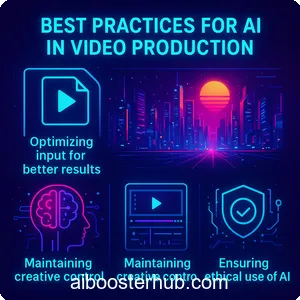
4. Best practices for AI in video production
Optimizing input for better results
To achieve high-quality AI generated videos, provide clear and specific inputs. For text prompts, include details about the setting, mood, and visual style (e.g., “a futuristic cityscape at sunset with vibrant neon lights”). For image-based videos, use high-resolution images with good lighting. Clear inputs help AI algorithms produce accurate and visually appealing results.
Maintaining creative control
While AI automates much of the production process, maintaining creative control is essential. Review the AI’s output carefully and make manual adjustments to ensure the video aligns with your vision. Combine AI-generated elements with traditional editing techniques to create a unique and polished final product.
Ensuring ethical use of AI
When using AI in video production, consider ethical implications. Avoid generating misleading or harmful content, and ensure you have the rights to use any images, videos, or audio inputs. Some platforms also offer guidelines for responsible AI use, which can help you navigate potential ethical concerns.
5. Advanced techniques for AI video production
Combining AI with traditional editing
For professional-grade results, combine AI-generated content with traditional editing software like Adobe Premiere Pro or Final Cut Pro. For example, use AI to generate a base video, then add custom transitions, sound effects, or overlays in a traditional editor. This hybrid approach maximizes the strengths of both AI and human creativity.
Creating realistic animations with AI
AI tools like DeepMotion and D-ID can generate realistic animations from static images or text prompts. These tools are particularly useful for create video from images AI projects, such as animating a character’s face or creating motion graphics. Experiment with different animation styles, such as 2D cartoons or 3D realism, to suit your project.
Leveraging AI for audio integration
Many AI platforms offer built-in audio generation, including voiceovers, background music, or sound effects. Tools like Descript or ElevenLabs can create lifelike voiceovers from text, while others generate royalty-free music tailored to your video’s mood. Integrating AI-generated audio ensures a cohesive and professional final product.
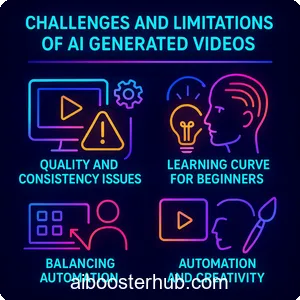
6. Challenges and limitations of AI generated videos
Quality and consistency issues
While AI has advanced significantly, it’s not flawless. Generated videos may occasionally have artifacts, unnatural movements, or inconsistencies in style. To mitigate these issues, use high-quality inputs and review outputs carefully. Some platforms also offer iterative refinement features to improve results over multiple attempts.
Learning curve for beginners
Although AI tools are designed to be user-friendly, beginners may face a learning curve when navigating complex platforms or crafting effective prompts. Start with simple projects and gradually explore advanced features as you gain confidence. Many platforms offer tutorials or community forums to support new users.
Balancing automation and creativity
Over-reliance on AI can lead to generic or formulaic videos. To stand out, infuse your projects with personal touches, such as unique branding elements or custom edits. Use AI as a tool to enhance your creativity, not replace it.
7. Future of AI in video production
Emerging trends in AI video technology
The field of AI in video production is evolving rapidly. Emerging trends include real-time video generation, hyper-realistic deepfakes, and AI-driven interactive videos. These advancements promise to make video production even more accessible and versatile, enabling creators to push creative boundaries.
Expanding accessibility for creators
AI is democratizing video production by lowering barriers to entry. With tools that create video from images AI or generate videos from text, anyone can produce professional-quality content without expensive equipment or technical expertise. This accessibility empowers small businesses, educators, and independent creators to compete in the digital space.
Integration with other technologies
AI video production is increasingly integrating with technologies like virtual reality (VR), augmented reality (AR), and 3D modeling. These integrations enable creators to produce immersive experiences, such as interactive advertisements or virtual tours, further expanding the potential of AI generated videos.
8. Conclusion
AI generated videos are transforming the way we create and consume content. From creating video from images AI to enhancing existing footage with video to AI tools, AI offers endless possibilities for producing engaging, high-quality videos. By understanding the tools, techniques, and best practices outlined in this guide, you can harness the power of AI in video production to bring your creative visions to life. Whether you’re a seasoned filmmaker or a beginner, AI empowers you to create stunning videos with ease and efficiency. Start experimenting with these tools today and unlock the full potential of AI-driven video production.