
OpenAI Codex: Complete Guide from Setup to Advanced Usage
OpenAI Codex has emerged as a game-changer in the world of artificial intelligence, enabling developers, data scientists, and enthusiasts to create powerful applications with minimal effort. This comprehensive guide walks you through everything you need to know about OpenAI Codex, from initial setup to advanced usage, ensuring you harness its full potential for your AI-driven projects. Whether you’re a beginner or an experienced coder, this article provides actionable insights, practical tips, and expert advice to elevate your skills with this transformative AI tool.
1. What is OpenAI Codex?
OpenAI Codex is a cutting-edge AI model developed by OpenAI, designed to understand and generate human-like code in multiple programming languages. Built as a descendant of GPT, Codex excels at translating natural language into code, making it an invaluable tool for developers, educators, and businesses. Its ability to interpret prompts and produce functional code has revolutionized how we approach programming, automation, and even creative projects.
Codex powers tools like GitHub Copilot and is versatile enough to handle tasks ranging from writing simple scripts to building complex applications. Its applications span web development, data analysis, automation, and more, making it a must-have for anyone looking to integrate AI into their workflow.
Why Codex matters in AI development
Codex stands out for its ability to bridge the gap between human intent and machine execution. By understanding natural language prompts, it allows users to describe what they want in plain English (or other languages) and receive accurate code output. This democratizes coding, enabling non-programmers to create software while helping seasoned developers save time on repetitive tasks.
Key features of OpenAI Codex
- Multilingual coding: Supports Python, JavaScript, Java, C++, and more.
- Natural language processing: Converts plain text instructions into functional code.
- Context awareness: Understands project context to provide relevant suggestions.
- Automation capabilities: Streamlines repetitive tasks like debugging or formatting.
- Integration: Works seamlessly with platforms like GitHub Copilot and custom APIs.
2. Getting started with OpenAI Codex
Before diving into advanced applications, you need to set up Codex properly. This section covers the prerequisites, setup process, and initial steps to get you up and running with this powerful AI tool.
Prerequisites for using Codex
To use OpenAI Codex, you’ll need:
- A basic understanding of programming concepts (helpful but not mandatory).
- An OpenAI account with access to the Codex API or a platform like GitHub Copilot.
- A code editor (e.g., VS Code, PyCharm) for testing and running Codex-generated code.
- A stable internet connection for API access.
Setting up the Codex API
To use Codex directly via OpenAI’s API:
- Sign up for an OpenAI account and obtain API credentials.
- Install the OpenAI Python library using
pip install openai. - Configure your API key in your development environment.
- Test the setup with a simple API call to ensure connectivity.
For those using Codex through GitHub Copilot, simply install the Copilot extension in your preferred code editor and authenticate with your GitHub account.
Writing your first Codex prompt
Start with a simple prompt to familiarize yourself with Codex’s capabilities. For example, you can input: “Write a Python function to calculate the factorial of a number.” Codex will generate a fully functional code snippet, such as:
def factorial(n):
    if n == 0:
        return 1
    else:
        return n * factorial(n - 1)
Experiment with different prompts to understand how Codex interprets natural language and tailors responses to your needs.
3. Exploring Codex’s core capabilities
Once you’ve set up Codex, it’s time to explore its core functionalities. This section delves into how Codex can assist with coding, debugging, and automation, making it an indispensable tool for AI enthusiasts and developers alike.
Code generation
Codex excels at generating code from natural language descriptions. Whether you need a web app, a data processing script, or a machine learning model, Codex can produce clean, functional code in seconds. For instance, asking “Create a JavaScript function to fetch data from an API” will yield a working solution complete with error handling.
Debugging and optimization
Codex can identify errors in your code and suggest fixes. Simply paste your code and ask, “Debug this Python script.” It will analyze the code, highlight issues, and provide corrected versions. Additionally, Codex can optimize code for performance, suggesting more efficient algorithms or cleaner syntax.
Automation with Codex
Codex can automate repetitive tasks, such as generating boilerplate code, formatting data, or creating scripts for workflows. For example, you can prompt Codex to “Write a script to rename all files in a folder” and receive a ready-to-use solution.
4. Advanced usage of OpenAI Codex
For those ready to take their skills to the next level, Codex offers advanced features that unlock new possibilities. This section explores how to leverage Codex for complex projects, integrate it with other tools, and fine-tune its outputs.
Building complex applications
Codex can assist in creating full-fledged applications. For example, you can prompt it to “Build a Flask app with a REST API for a to-do list.” Codex will generate the necessary routes, database logic, and front-end integration code. By breaking down your project into smaller prompts, you can iteratively build sophisticated systems.
Integrating Codex with other tools
Codex integrates seamlessly with platforms like GitHub Copilot, Jupyter Notebooks, and custom APIs. For instance, in a Jupyter Notebook, you can use Codex to generate data analysis scripts or visualize datasets with libraries like Matplotlib or Seaborn. Pairing Codex with CI/CD pipelines can also streamline development workflows.
Fine-tuning Codex outputs
To get the most out of Codex, craft precise prompts. Include details like the programming language, specific libraries, or desired output format. For example, instead of “Write a sorting algorithm,” try “Write a Python implementation of quicksort with comments explaining each step.” This ensures Codex delivers tailored, high-quality results.
5. Best practices for using OpenAI Codex
To maximize Codex’s potential, follow these best practices to ensure efficient, accurate, and secure usage.
Crafting effective prompts
- Be specific: Include language, framework, or functionality details.
- Use examples: Provide sample inputs or outputs to guide Codex.
- Iterate: Refine prompts based on initial outputs to improve accuracy.
Ensuring code quality
Always review Codex-generated code for accuracy, security, and performance. While Codex produces reliable code, it’s not infallible. Test outputs thoroughly, especially for production environments, and validate against your project requirements.
Managing API usage
If using the Codex API, monitor your usage to avoid hitting limits. Optimize your prompts to reduce unnecessary API calls, and cache frequently used code snippets to save resources.
6. Real-world applications of OpenAI Codex
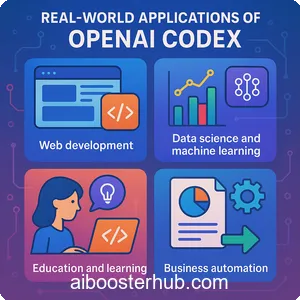
Codex’s versatility makes it applicable across industries and use cases. This section highlights practical examples of how Codex is transforming workflows for developers, educators, and businesses.
Web development
Codex can generate HTML, CSS, and JavaScript for responsive web designs. For example, prompting “Create a responsive landing page with Tailwind CSS” results in a complete, styled webpage ready for deployment.
Data science and machine learning
Data scientists can use Codex to write scripts for data cleaning, visualization, or model training. A prompt like “Train a linear regression model in Python using scikit-learn” will produce a fully functional script, complete with data preprocessing and evaluation metrics.
Education and learning
Educators use Codex to create interactive coding tutorials or automate grading for programming assignments. Students can leverage Codex to understand complex concepts by generating explanatory code snippets.
Business automation
Businesses can use Codex to automate tasks like generating reports, scraping data, or building internal tools. For instance, a prompt like “Write a Python script to extract sales data from a CSV and generate a summary report” can save hours of manual work.
7. Limitations and considerations
While Codex is powerful, it’s not without limitations. Understanding these ensures you use the tool effectively and responsibly.
Understanding Codex’s limits
Codex may struggle with highly specialized or niche programming tasks that require deep domain knowledge. It’s also dependent on the quality of your prompts—vague inputs can lead to suboptimal outputs.
Ethical use of AI-generated code
Always attribute AI-generated code appropriately and avoid using Codex for malicious purposes, such as generating harmful scripts. Ensure compliance with licensing and intellectual property guidelines when deploying Codex-generated code in commercial projects.
Staying updated with AI advancements
The AI landscape evolves rapidly. Stay informed about updates to Codex and related tools to ensure you’re leveraging the latest features and improvements.
8. Conclusion
OpenAI Codex is a transformative tool that empowers users to create, debug, and automate code with unprecedented ease. From setting up your environment to mastering advanced applications, this guide has covered the essentials to help you unlock Codex’s full potential. By following best practices and exploring real-world use cases, you can leverage Codex to streamline your workflows, enhance productivity, and push the boundaries of what’s possible with AI. Start experimenting with Codex today and discover how it can revolutionize your approach to coding and innovation.